
1. Sign up for service portal access by going to https://service.caeves.com/tickets-view > Scroll to the bottom and click on Register Here
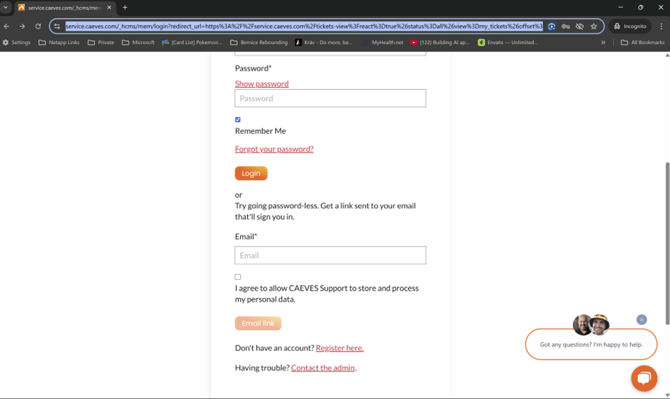
2. Complete the form with your company email address

3. Once submitted you will be prompted to verify your email address.

4. Go to your Inbox and click on Verify email address button in email.
***Note if you did not receive the email in your inbox check you spam folder.

5. You will get confirmed and can continue to Sign-In

6. Provide you login details configured previously
