
Prerequisites for Deploying the Quickstart
Before deploying a Quickstart, ensure the following prerequisites are met:
1. Active Azure Subscription
- You must have an active Microsoft Azure subscription with billing enabled.
- Ensure the account used has Owner or Contributor permissions on the target subscription.
- Azure Marketplace purchases must be enabled for your subscription.
2. Azure CLI, PowerShell, or Portal Access
Depending on your chosen deployment method:
- Azure Portal: Access to https://portal.azure.com with sign-in credentials.
- Azure CLI: Installed and configured locally.
- Download the installer:
https://aka.ms/installazurecliwindows
- Run the installer:
Double-click the downloaded .msi file.
Follow the installation wizard.
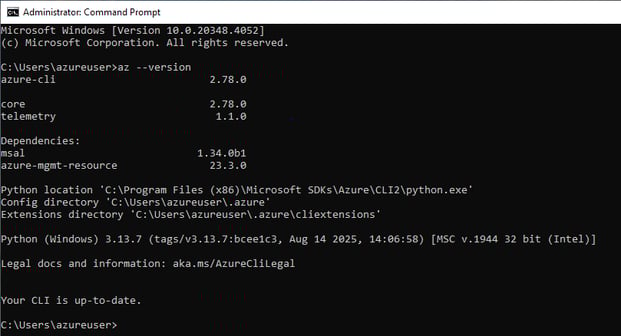
- Verify installation:
Open Command Prompt and run: az --version
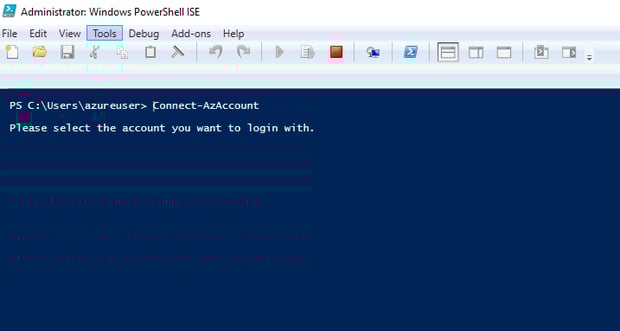
- Azure PowerShell: Installed and connected via Connect-AzAccount
3. Registered Azure Resource Providers
Ensure the required resource providers are registered in your subscription (these may vary by template):
- az provider register --namespace Microsoft.Compute
- az provider register --namespace Microsoft.Network
- az provider register --namespace Microsoft.Storage
- az provider register --namespace Microsoft.KeyVault
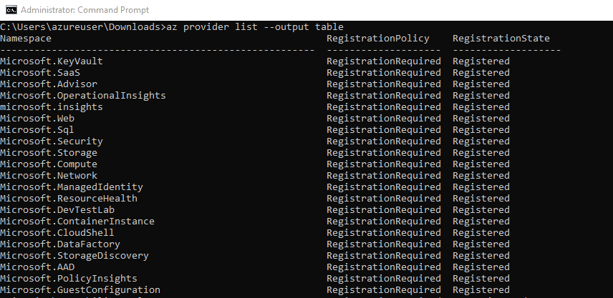
To verify registration:
az provider list --output table
4. Azure Active Directory (Azure AD) Configuration
- Ensure your Azure AD tenant is properly configured.
- The user subscribing must belong to the same Azure AD tenant as the Azure subscription.
- If your SaaS solution uses service principals or managed identities, verify they have the necessary role assignments.
5. Network and Resource Availability
-
Confirm any required network resources (VNet, subnets, public IPs) exist or will be created.
-
Ensure quotas (e.g., VM cores, storage accounts) are available in the target region.
6. Template Parameters and Resource Naming
Review the Quickstart template to identify required parameters such as:
-
Admin username/password or SSH key
-
Region and resource group name
-
App-specific settings (e.g., VM size)
Validate all parameters such as region, VM size, and naming conventions before deployment.
Once all prerequisites are met and your environment is prepared, you are ready to deploy the Quickstart.