
Prerequisites
-
Access to the customer’s Azure environment with permissions to create App Registrations.
-
Microsoft Entra ID (formerly Azure Active Directory).
-
Recommended SPN secret expiry: 24 months (instead of the default 6 months) to reduce manual rotation.
Step 1: Create App Registration (Service Principal) in customer Azure Environment
-
Sign in to the Azure Portal.
- Navigate to Microsoft Entra ID → App registrations.
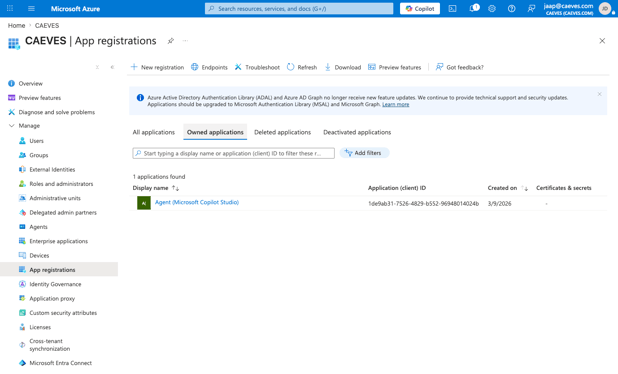
- Select New registration.
- Enter:
Name: e.g., HybridStorageSPN
Supported account types: Default (Single tenant)
Redirect URI: Leave blank unless required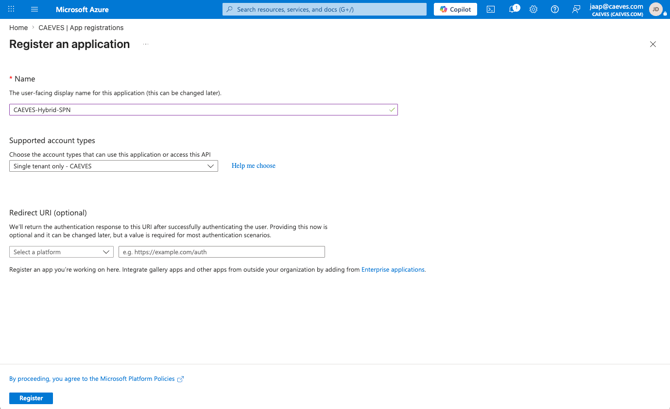
- Click Register.
- Note the following values:
Application (Client) ID
Directory (Tenant) ID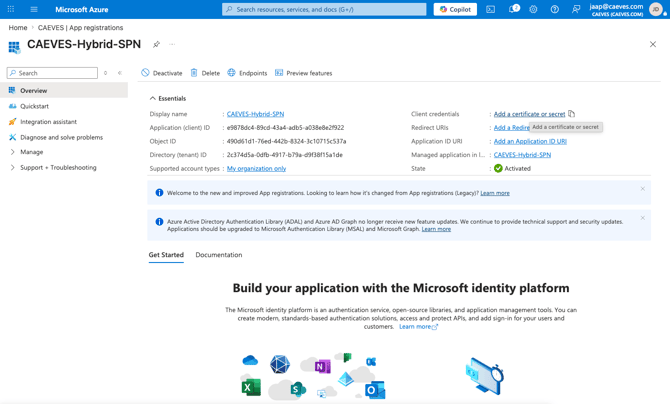
Step 2: Generate Client Secret / Associate SPN in customer Azure Environment
- In the App Registration, go to Certificates & secrets.
- Select New client secret.
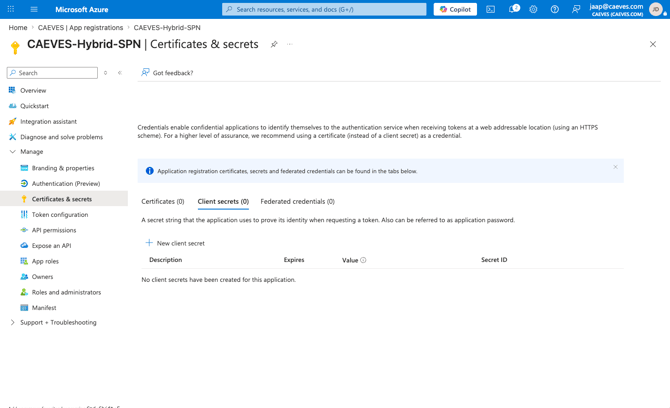
- Enter:
Description: e.g., HybridStorageSecret
Expiry: Set to 24 months (recommended)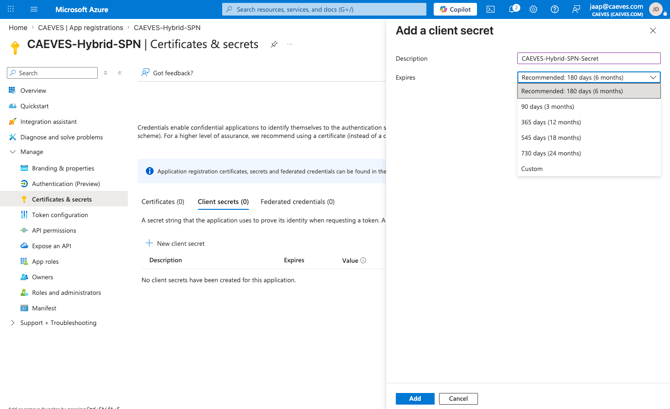
- Click Add.
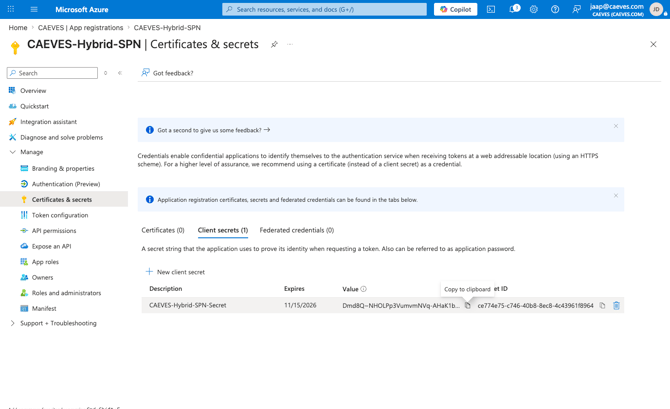
- Copy and securely save the Client Secret value immediately
- Document following:
Client ID
Client Secret
Azure Tenant ID
Secret Expiry Date
Step 3: Deploy Hybrid Cloud Storage
Once the App Registration and client secret have been configured, proceed with the solution template deployment.
For detailed deployment instructions, refer to QuickStart: Deploy CAEVES Hybrid Cloud Storage On-Premises